Devani Hosting runs AI-built websites — each site is a full CMS you (or your clients) edit by chatting with Claude. This is the quick map of how it fits together.
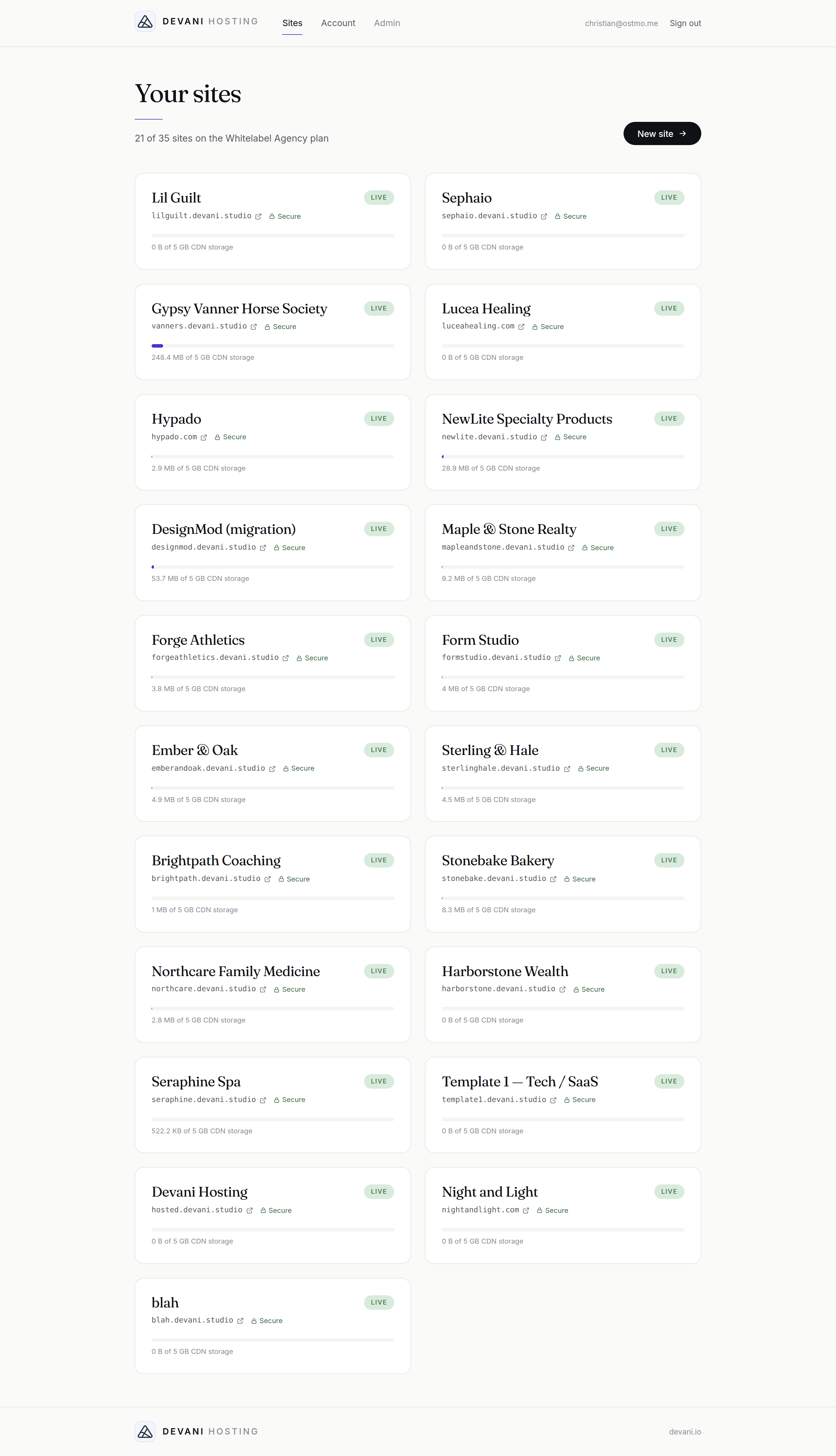 Your dashboard at app.devani.io — every site, its address, storage, and status in one place. New site is top-right.
The shape of it
- Every site lives at a free
*.devani.studioaddress the moment it's created, with HTTPS already on. You can attach your own custom domain anytime. - You build and edit by talking to Claude over MCP — no dashboard wrestling. One connection controls all your sites.
- Agencies get a full API to spin up client sites programmatically, automatic DNS for custom domains, and your own brand on everything.
Create a site
Click New site, choose an address, and it's live on a free *.devani.studio URL with HTTPS in under a minute. You can attach your own domain right away, or mark it a staging site that doesn't count against your plan.
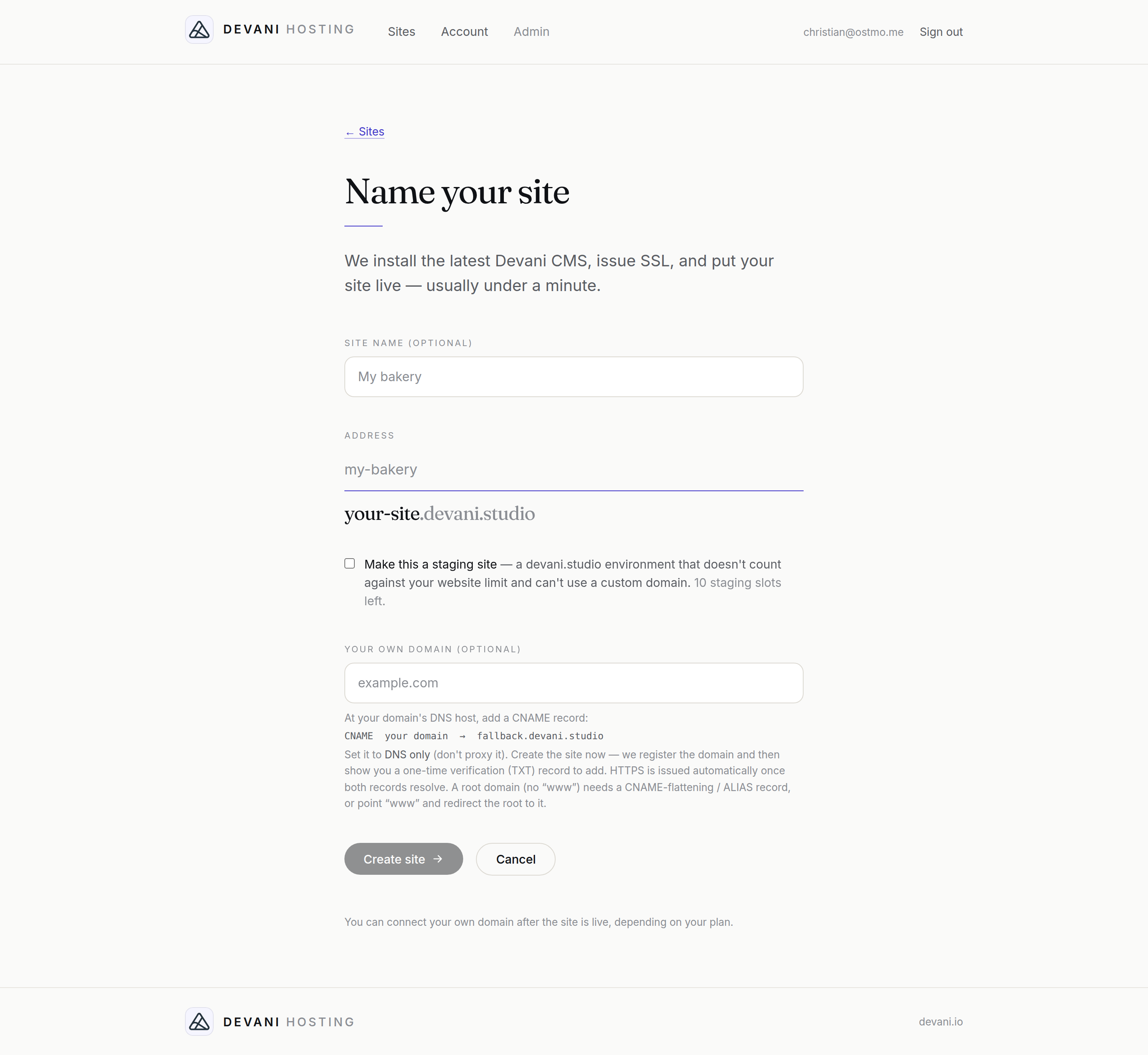 Creating a site: pick the address, and optionally add your own domain.
First steps
- Connect Claude to your account — one connection, then tell it which site to work on. This is the main way you'll build.
- Pick a plan that fits how many sites you run. Free and Starter are single-site; Business and up are multi-site; Agency/Whitelabel are for running many client sites.
- Add a custom domain when a site is ready to go public.
- (Agencies) connect your Cloudflare account for hands-off DNS, grab an API key to automate, and set your brand name.
Managing a site
Open any site from your dashboard to manage it — everything for that site is on one page:
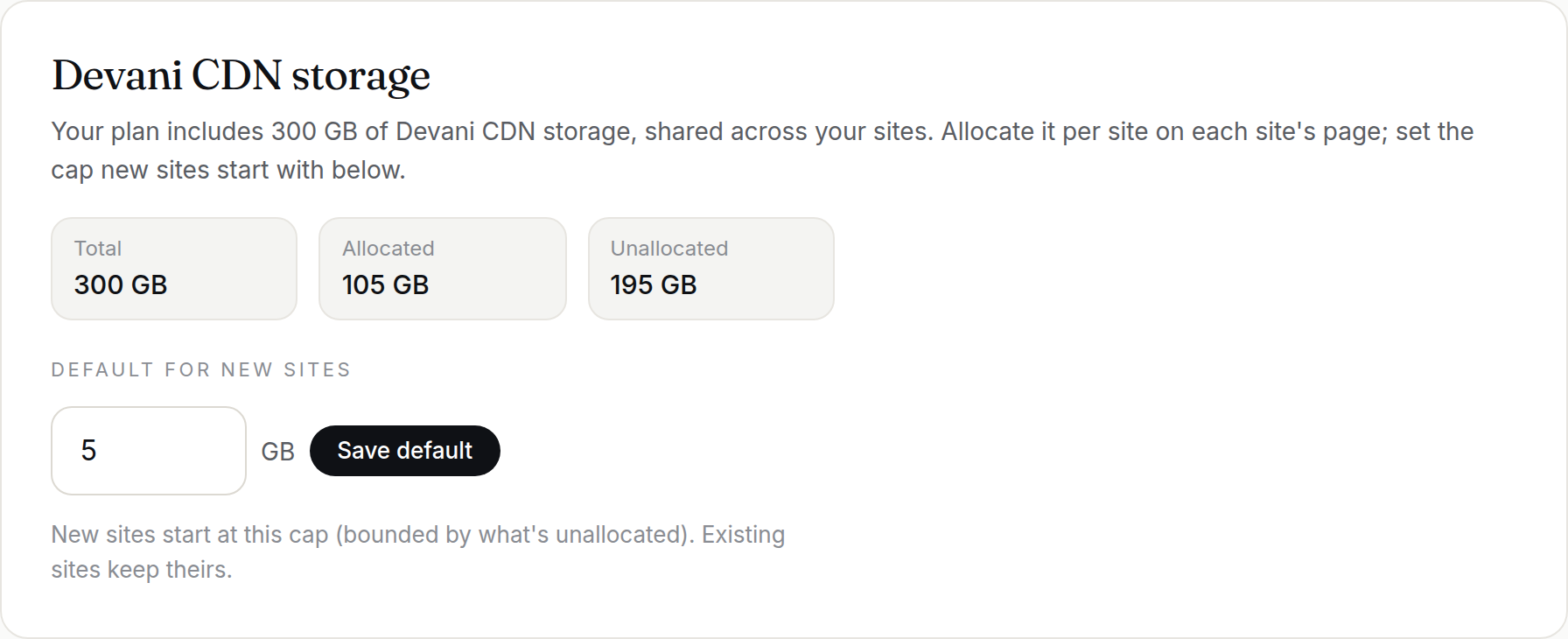 Storage — this site's Devani CDN allowance, drawn from your plan's pool.
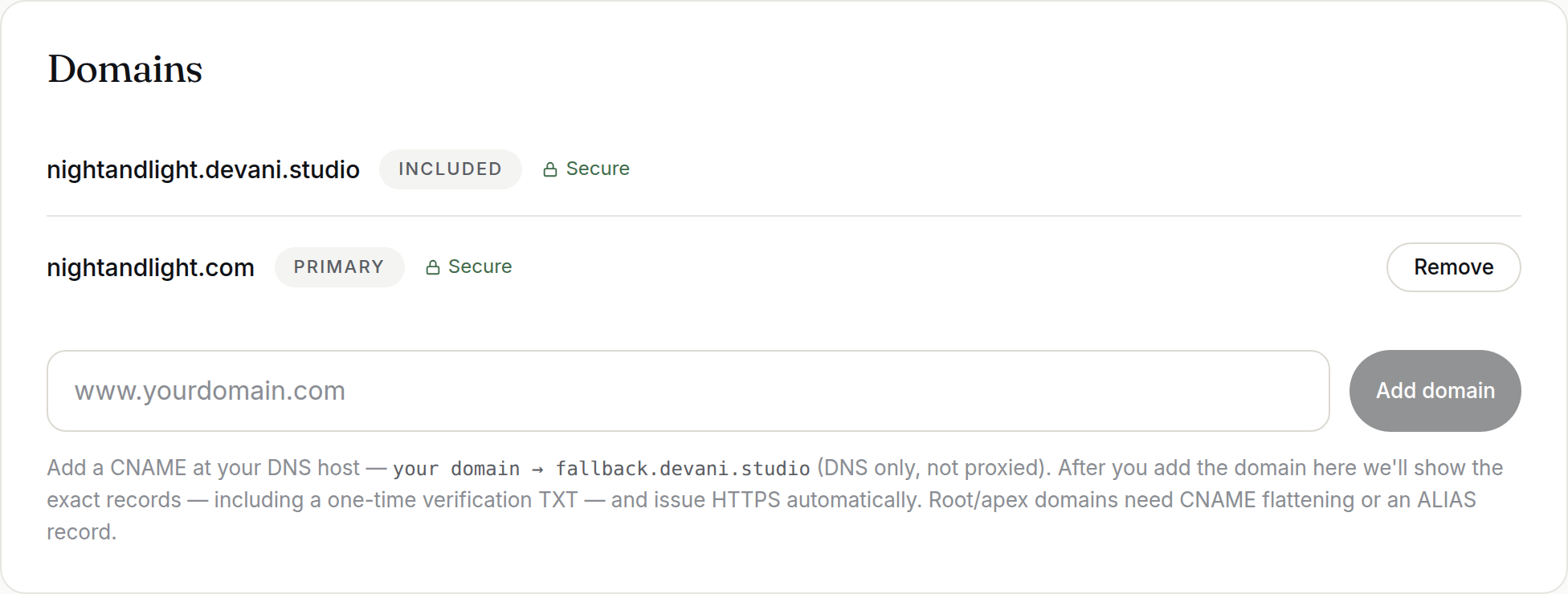 Domains — the free subdomain plus any custom domains you attach, each with its own automatic HTTPS.
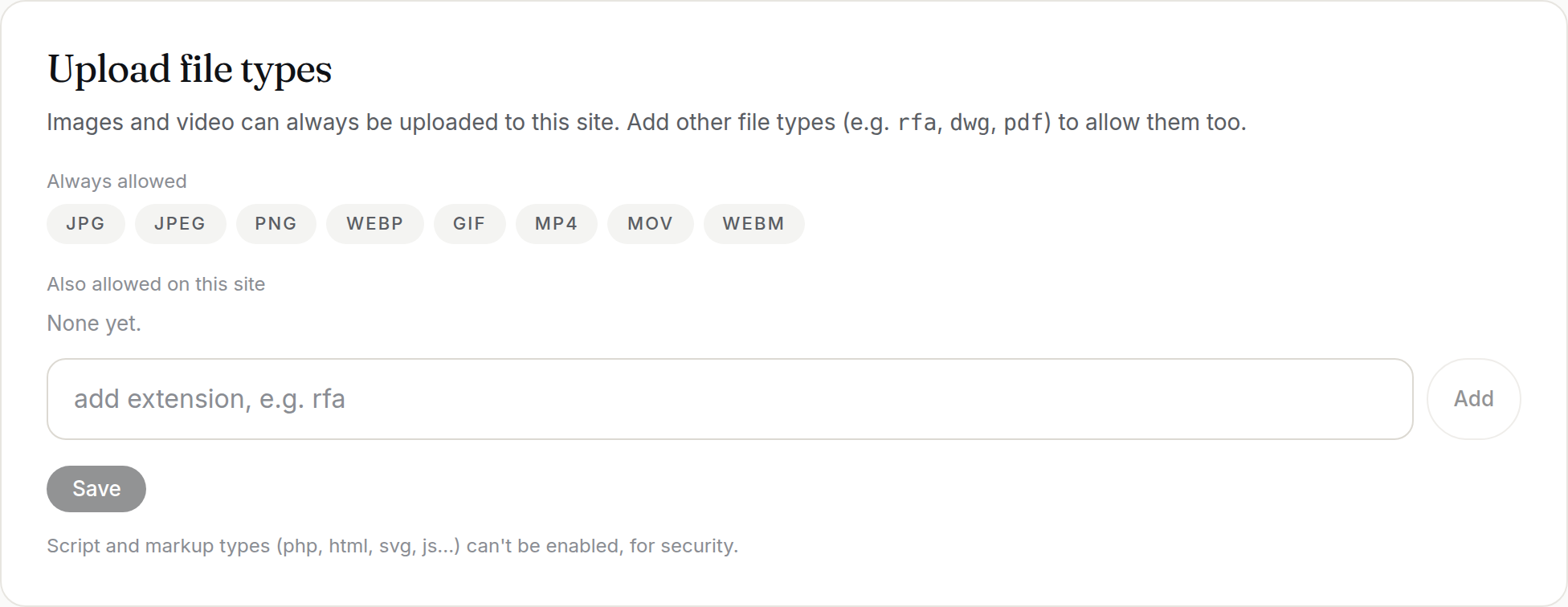 Upload file types — images and video by default; add other types (e.g.
 rfa, dwg, pdf) per site.
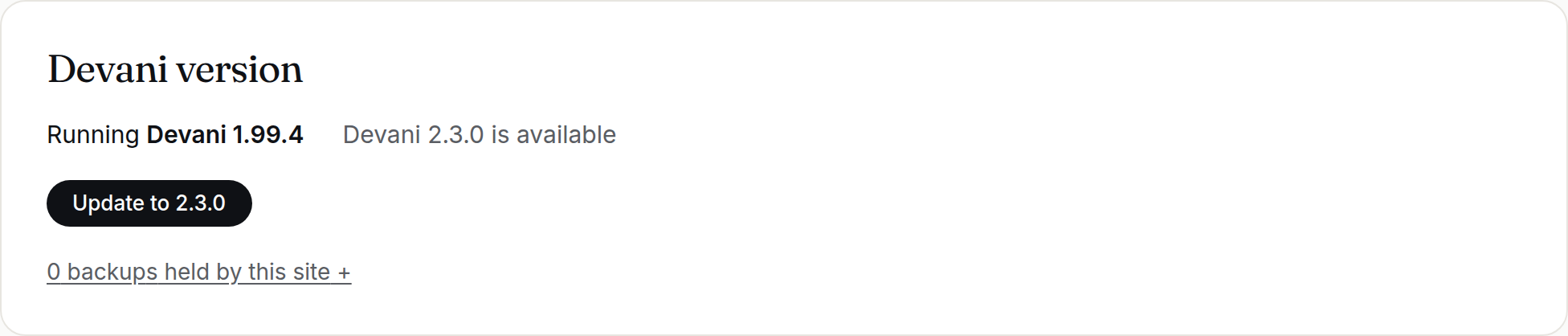 Devani version — see the version this site runs and update to the latest release with one click (a backup is taken first).
Where things live
- Build/edit: Claude, via the one MCP connection.
- Account, plan, billing, branding, API key, Cloudflare token: your dashboard at app.devani.io → Account.
- A site's own admin:
yoursite.com/devani/(scoped to just that site — this is what a client would use).
Pick a topic below to go deeper.